
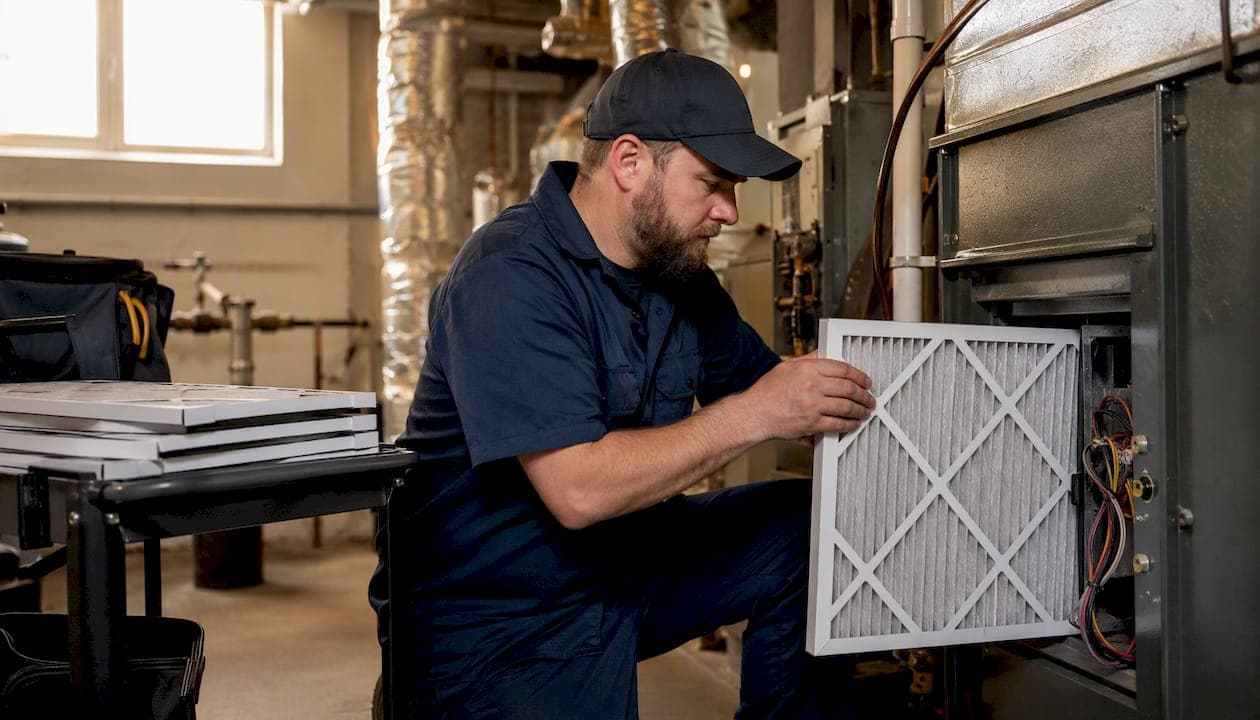
The most effective approach to multi-unit maintenance scheduling is a prioritized, CMMS-backed multi-week rolling schedule with a 30/60/90 task cadence — built on a complete asset inventory and executed through geography-first technician batching.
Start here, in the next 24–72 hours:
- Inventory every unit and shared system (HVAC, elevators, plumbing risers, fire suppression) with asset type, age, and criticality rating
- Tag each asset as critical, important, or routine to drive scheduling priority
- Map a pilot route covering 10–20 units in one building or zone
- Sign up for a CMMS trial (UpKeep, AppFolio, or similar) and load your asset list
- Draft a tenant notification template for scheduled access
- Assign one person to own the schedule and one to own the work-order inbox
That list is your day-one foundation. Everything below shows you how to build on it.
Key Takeaways
A prioritized, CMMS-backed multi-week rolling schedule with a 30/60/90 task cadence is the most reliable way to shift a multi-unit portfolio from reactive firefighting to planned, cost-predictable maintenance.
| Point | Details |
|---|---|
| Start with a complete asset inventory | Tag every unit and shared system by criticality before building any schedule or task library. |
| Use a 30/60/90 cadence | Pilot one zone in 30 days, scale in 60, achieve full rollout with SLA reporting by 90 days. |
| Batch by trade, then geography | Sorting work orders this way cuts drive time and raises first-time fix rates across the portfolio. |
| Track the preventive-to-reactive ratio | Target 70–80% preventive work; falling below 50% signals the schedule is losing to reactive demand. |
| Maddladder's Property Manager plan | Handles intake, scheduling, PM rounds, and reporting for Kansas City metro multi-unit portfolios. |
Table of Contents
- Why does proactive multi-unit maintenance scheduling outperform reactive repairs?
- How do you build a multi-unit maintenance schedule from scratch?
- Shared-system vs. unit-level maintenance: what gets scheduled differently?
- What features should you look for in a CMMS for multi-unit portfolios?
- How do you route technicians and stage parts for maximum efficiency?
- Which KPIs and budget lines prove your schedule is working?
- How does a managed maintenance subscription handle the schedule for you?
- How do you handle unexpected maintenance issues during scheduled rounds?
- How should you notify tenants about scheduled maintenance?
- How do you train maintenance staff to use the schedule and the tools?
- What property managers get wrong on day one (and how to fix it)
- Maddladder handles the schedule so you don't have to
- Sources
Why does proactive multi-unit maintenance scheduling outperform reactive repairs?
Reactive maintenance is expensive in ways that don't always show up on a single invoice. A burst pipe handled as an emergency costs two to four times more than the same repair scheduled during a planned round, once you factor in after-hours labor, water damage remediation, and tenant displacement. Multiply that across a 100-unit portfolio and the math gets uncomfortable fast.
Preventive maintenance planning, when structured properly, shifts the cost curve. The SMRP body of knowledge — the industry standard reference for maintenance and reliability professionals — identifies the preventive-to-reactive ratio as one of the core KPIs that separates high-performing facilities from chronically backlogged ones. World-class programs typically run a large majority of their work as planned, scheduled tasks.
Consider a 300-unit apartment complex running mostly reactive. Technicians spend a significant portion of their day responding to calls, driving across the property, and discovering they don't have the right part. Batching those same tasks by trade and zone, with parts staged in advance, cuts drive time and increases the hours a technician actually spends fixing things — what the industry calls "wrench time." The Microsoft Learn documentation on asset management systems frames this precisely: preventive plans define the work in advance so execution becomes a logistics problem, not a diagnostic one.
How do you build a multi-unit maintenance schedule from scratch?
A reproducible process has five stages. Skip one and the schedule eventually collapses back into reactive chaos.
Stage 1: Assessment and asset inventory
Capture these fields for every unit and shared system:
- Location (building, floor, unit number)
- Asset type (HVAC, water heater, garbage disposal, smoke detector, appliance)
- Asset age and expected service life
- Criticality rating (critical = affects habitability or safety; important = affects comfort; routine = cosmetic or convenience)
- Last service date and next due date
- Responsible party (in-house tech, licensed contractor, or vendor)
Stage 2: Build a task library
A task library is a menu of standard PM items with defined intervals. Common entries for residential multi-unit portfolios:
- HVAC filter replacement: every 60–90 days per unit; coil cleaning annually
- Water heater inspection and anode rod check: annually
- Garbage disposal cleaning and inspection: every 6 months
- Smoke and CO detector testing: every 6 months; battery replacement annually
- Unit turn checklist (paint touch-up, caulk, appliance test, fixture check): at every vacancy
- Plumbing fixture inspection (faucets, toilets, supply lines): annually
- Appliance inspection and cleaning: annually or per manufacturer spec
- Common-area lighting check: monthly
- Exterior and roof visual inspection: quarterly
The Elsevier research on integrated PM frameworks shows that scheduling PM thresholds and task sequences together — rather than treating them as separate decisions — produces measurably better completion-time outcomes across multi-unit systems. In practice, that means your task library intervals and your schedule slots should be designed as a single system, not bolted together after the fact.
Stage 3: The 30-60-90 sample schedule
| Timeframe | Focus | Sample Tasks |
|---|---|---|
| Week 1–4 (30-day) | Pilot zone, baseline data | HVAC filters, smoke detector tests, unit turn checklist, tenant notification |
| Week 5–6 (60-day) | Scale to second zone, refine batching | Water heater inspections, plumbing fixtures, common-area lighting, parts reorder |
| Week 9–10 (90-day) | Full building or portfolio rollout | Coil cleaning, anode rod checks, exterior inspection, SLA review, KPI report |
The IEEE annual scheduling model for multi-type units supports this cluster-based approach: grouping similar asset types across zones into defined planning windows reduces scheduling complexity and makes capacity planning predictable.
Stage 4: Work-order intake and triage
Tenant reports a problem → ticket created in CMMS → priority tag assigned (emergency, urgent, routine) → batching rules applied → schedule slot assigned → technician dispatched.
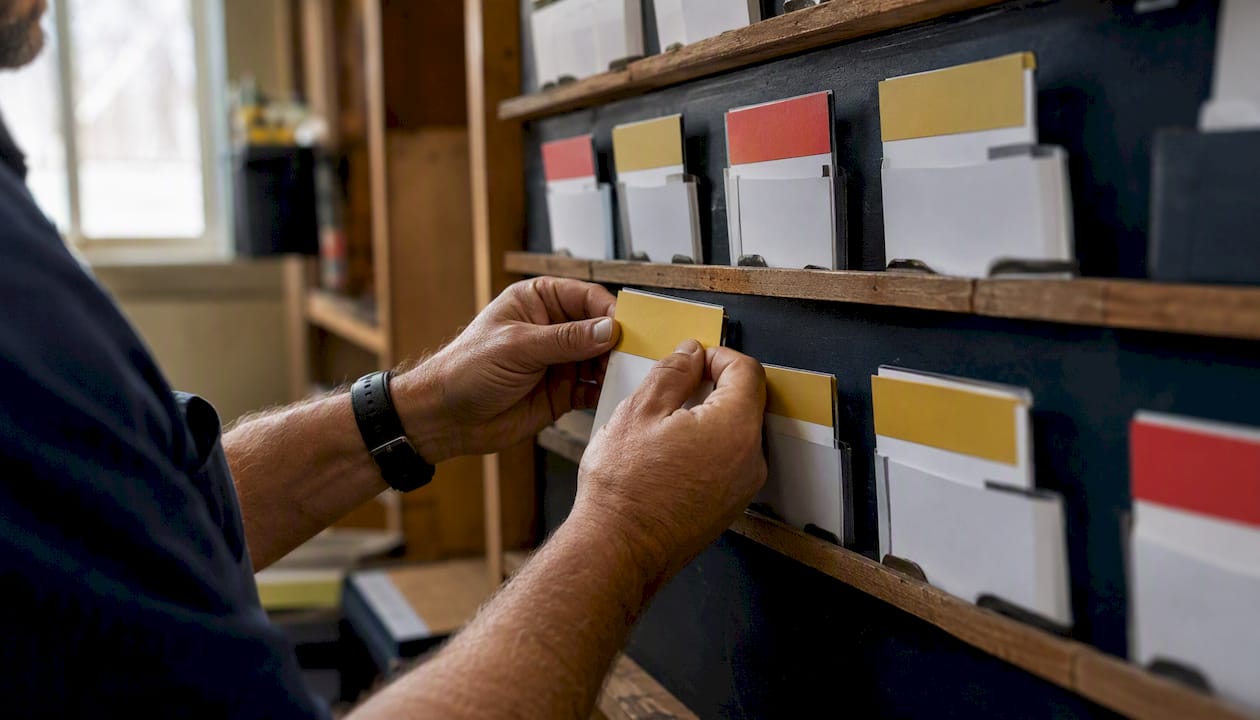
Priority tags drive the batching rules. Emergency work (no heat, water intrusion, safety hazard) breaks the schedule and gets same-day response. Urgent work (appliance failure, minor leak) slots into the next available window within 24–48 hours. Routine work accumulates until the next planned zone visit. AppFolio's maintenance platform automates this intake flow — residents submit requests online, the system creates work orders, and the unit turn board tracks vacancy-related tasks separately from ongoing PM work.
Pro Tip: Before batching work orders, sort them by trade first, then by geography. A plumber routed to three adjacent units completes all three in the time it would take to handle one isolated call across the property.
Shared-system vs. unit-level maintenance: what gets scheduled differently?
These two categories need different scheduling rules, different vendors, and different escalation paths. Mixing them up is one of the most common reasons a schedule breaks down.
Shared systems are building-wide assets: elevators, boilers, fire suppression, main electrical panels, roof, parking structures, and common-area HVAC. Failure affects every tenant simultaneously. Access often requires building-wide coordination or temporary shutdowns. Vendors are typically licensed specialists (elevator contractors, fire-suppression inspectors, licensed electricians).
Unit-level assets are contained within individual units: in-unit HVAC equipment, water heaters, appliances, plumbing fixtures, smoke detectors, and interior finishes. Failure affects one tenant. Access requires scheduling with that tenant. Work is often handled by in-house technicians or a general handyman service.
| Category | Access needed | Typical frequency | Vendor type | Escalation trigger |
|---|---|---|---|---|
| Shared systems | Building-wide or common area | Annually to quarterly | Licensed specialist | Any failure or code inspection |
| Unit-level assets | Individual unit scheduling | Monthly to annually | In-house tech or handyman | Habitability impact |
| Shared plumbing risers | Building shutdown window | Every 2–5 years | Licensed plumber | Leak or pressure drop |
| Common-area electrical | After-hours or low-traffic window | Annually | Licensed electrician | Code violation or outage |
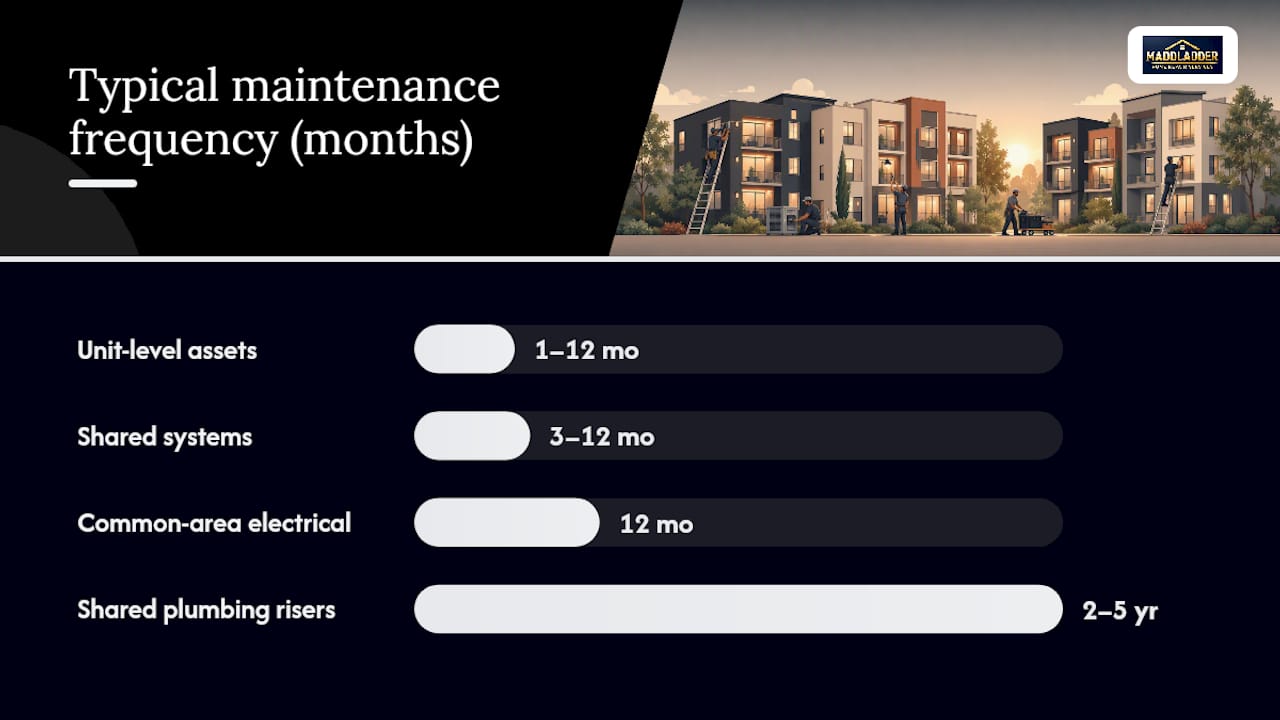
The decision rule for shared systems is straightforward: if a failure would trigger a building-wide shutdown or a code violation, the task belongs on a vendor-managed calendar with a defined SLA, not on an in-house technician's daily route.
What features should you look for in a CMMS for multi-unit portfolios?
The tool you pick will either enforce your schedule or quietly let it drift. Feature checklist for evaluating any platform:
- Multi-site support: manages assets and work orders across multiple buildings or addresses
- Mobile technician app: techs can receive, update, and close work orders from the field
- Automated PM triggers: system generates work orders based on calendar intervals or meter readings
- Routing optimization: groups work orders by geography to reduce drive time
- Parts and inventory tracking: flags low stock before a scheduled visit, not during it
- Vendor portal: external contractors can receive assignments and submit completion reports
- SLA tracking and reporting: measures response and resolution times against defined targets
- Tenant portal integration: residents submit requests online; system creates tickets automatically
- Accounting integration: work order costs flow into your property management accounting system
UpKeep's CMMS platform covers mobile execution, PM automation, and AI-assisted work-order prioritization — useful for teams managing high work-order volume across multiple sites. For property-specific workflows, AppFolio adds resident-facing request portals and unit-turn coordination that general CMMS tools often lack.
Rollout plan
- Pilot site: choose one building with complete asset data; run the schedule for 30 days
- Data migration: load all assets, intervals, and vendor contacts before go-live
- Training: technicians need two to four hours on the mobile app; coordinators need a full day on work-order flow and reporting
- Integrations: connect accounting and tenant portal in week two, after the core workflow is stable
- Go-live gating: only expand to additional buildings when pilot-site schedule compliance exceeds 80%
How do you route technicians and stage parts for maximum efficiency?
Routing is where schedules either pay off or bleed money. A technician who drives 45 minutes between jobs on the same property is a scheduling failure, not a staffing one.
Routing rules that work:
- Assign each technician a primary zone for the day; cross-zone only for emergencies
- Match skill level to task type — a licensed plumber should not spend the morning on light bulb replacements
- Schedule travel windows at the start and end of the day, not between jobs
- Identify "hot spots" (units or systems with recurring issues) and build them into the weekly route proactively
Parts staging checklist:
- Pull parts for the day's work orders the evening before
- Keep a van stock of the 20 most-used consumables (filters, batteries, caulk, common faucet parts)
- Set reorder thresholds in the CMMS so parts are replenished before they run out, not after a missed appointment
- Flag any work order that requires a special-order part and reschedule it to a date when the part will be on hand
Batching repairs by trade and geography is the single highest-leverage routing decision a coordinator can make. A sample day plan for a two-tech crew at a 150-unit property:
| Time | Tech A (plumbing focus) | Tech B (HVAC/electrical focus) |
|---|---|---|
| Morning | Building 1: faucet and toilet inspections | Building 1: filter replacements, detector tests |
| Morning | Building 2: water heater checks | Building 2: thermostat calibration, outlet checks |
| Late morning | Reactive queue: urgent tickets from morning | Reactive queue: urgent tickets from morning |
| Afternoon | Building 3: plumbing fixtures | Building 3: coil cleaning |
| Afternoon | Parts restock, work-order closeout | Work-order closeout, next-day prep |
Pro Tip: Before any scheduled visit, ask the tenant to send a photo of the issue through the tenant portal. Pre-visit photo triage lets the technician arrive with the right parts and cuts the rate of "couldn't complete — wrong part" closures significantly.
Which KPIs and budget lines prove your schedule is working?
Budgeting checklist
- Recurring PM spend (labor + consumables per unit per year)
- Parts and consumables budget (separate line from labor)
- Contractor and vendor budget (licensed specialists, annual inspections)
- Contingency line: 10–15% of total maintenance budget for unplanned work
- Lifecycle replacement reserve (water heaters, HVAC units, appliances — see aging appliance guidance)
Key performance indicators
The SMRP body of knowledge defines the metrics that separate high-performing maintenance programs from reactive ones. Track these monthly:
- Response time by priority: emergency (under 4 hours), urgent (under 24 hours), routine (under 5 business days)
- Work-order completion rate: percentage of scheduled tasks completed on time
- Backlog age: average age of open work orders; anything over 14 days signals a capacity or scheduling problem
- Preventive-to-reactive ratio: target 70–80% preventive; below 50% means the schedule is losing to reactive demand
- Schedule compliance: percentage of planned PM tasks completed in their scheduled window
- Cost per work order: tracks efficiency over time; rising cost per order often signals routing or parts-staging problems
The preventive-to-reactive ratio is the single number that tells you whether your schedule is actually running the operation or the operation is running your schedule.
Pro Tip: Tie PM intervals to lifecycle cost curves for major assets. For example, a water heater inspected and maintained annually tends to reach its full expected service life, while one going uninspected tends to fail earlier, costing replacement plus emergency labor. That delta justifies the PM spend to any owner reviewing the numbers.
How does a managed maintenance subscription handle the schedule for you?
For property managers who want the schedule executed without building the internal infrastructure from scratch, a managed subscription like Maddladder's Property Manager plan operationalizes the entire workflow.
Here's how the intake-to-completion cycle works in practice: a tenant submits a request, Maddladder logs it, assigns priority, and dispatches a licensed technician — often the same day for urgent issues. Scheduled PM rounds are pre-calendared so the property manager doesn't have to trigger them manually. Vendor coordination for licensed-specialist work (plumbing, electrical) is handled within the same workflow.
Services typically included in a Property Manager subscription:
- Preventive maintenance rounds (HVAC filters, detector tests, plumbing inspections)
- Unit turn and make-ready services (paint touch-up, fixture checks, appliance testing)
- Minor plumbing and electrical repairs (faucets, toilets, outlets, switches)
- Smart home upgrades (thermostats, cameras, smart locks) during PM visits
- Vendor coordination and scheduling for specialist work
- Completion reporting for owner review
Maddladder serves the Kansas City metro area with licensed technicians and flexible subscription tiers. Property managers with multi-unit portfolios can review service and subscription options to find the tier that matches their portfolio size and task volume.
How do you handle unexpected maintenance issues during scheduled rounds?
Every scheduled maintenance round will surface something unplanned. A technician replacing HVAC filters finds a cracked heat exchanger. A plumbing inspection reveals a slow leak behind a cabinet. The question isn't whether surprises will happen — it's whether your schedule can absorb them without collapsing.
A workable contingency plan has three components.
That buffer absorbs the unexpected find without pushing the rest of the day's planned work into next week. A fully packed schedule with zero slack is a schedule that falls apart the moment anything goes wrong.
Second, define escalation thresholds in advance. Decide before the round starts which findings get handled immediately (active leak, safety hazard, habitability issue), which get a same-week follow-up ticket, and which get logged for the next planned visit. Technicians should not be making those calls in the field without a framework.
Third, keep a contingency parts kit on the truck. The most common unexpected finds — a leaking supply line, a failing wax ring, a tripped GFCI outlet — are predictable categories even when the specific unit isn't. Stocking the 10–15 most common repair parts means a technician can resolve the majority of unexpected finds on the spot rather than scheduling a return visit.
Document every unexpected finding in the CMMS before leaving the unit. That data feeds your next scheduling cycle and, over time, turns "unexpected" findings into predictable ones you can plan for.
How should you notify tenants about scheduled maintenance?
Tenant communication is where well-designed schedules lose goodwill if handled carelessly. A tenant who gets 24 hours' notice for a 3-hour HVAC inspection is annoyed. A tenant who gets 5 days' notice with a clear time window and a contact number is cooperative.
The notification framework that works:
Give at least a couple of days' advance notice for any scheduled entry. Most states require a minimum notice period; more notice builds goodwill and reduces no-access situations that waste technician time. State the specific time window (not "sometime Tuesday" — "Tuesday between 10 AM and 12 PM"). Name the task so tenants know what to expect. Provide a contact number for questions or rescheduling.
Send notifications through the channel tenants actually use. A property management platform like AppFolio can push automated text and email notifications tied to work-order creation, which removes the manual step entirely. For portfolios without that integration, a simple email template with merge fields for unit number, date, time window, and task description covers the basics.
After the visit, send a brief completion note: what was done, whether any follow-up is needed, and who to contact with questions. That two-sentence message cuts follow-up calls and builds the kind of trust that reduces tenant turnover.
For building-wide shared-system work (boiler maintenance, elevator inspection, water shutoffs), post physical notices in common areas at least 5 days in advance, in addition to digital notifications. Tenants who miss a digital message will see the lobby notice.
How do you train maintenance staff to use the schedule and the tools?
A schedule is only as good as the team executing it. The most common implementation failure isn't a bad schedule — it's a good schedule that technicians don't follow because they weren't trained on it properly.
Onboarding sequence for new technicians:
Start with the CMMS mobile app, not the schedule itself. A technician who can't receive, update, and close a work order on their phone is a scheduling liability. Two to four hours of hands-on practice with real work orders from the pilot site is enough for most people. Pair new technicians with an experienced crew member for the first two weeks of live scheduling.
Then introduce the batching and routing logic. Explain why the route is structured the way it is — geography-first, trade-matched, with a reactive buffer built in. Technicians who understand the reasoning follow the route; technicians who just see a list of addresses don't.
Cover the escalation protocol explicitly. What does a technician do when they find something outside their scope? Who do they call? How do they log it? Ambiguity here is where unexpected findings become delayed repairs and tenant complaints.
For coordinators and property managers, the training focus is different: work-order triage, priority tagging, batching rules, and reporting. A coordinator who understands how to read the backlog-age report and the preventive-to-reactive ratio can catch a drifting schedule before it becomes a crisis.
Refresh training quarterly, especially after any CMMS update or routing-rule change. A 30-minute team review of the previous quarter's KPIs — completion rate, backlog age, cost per work order — keeps the schedule visible and gives technicians a stake in the outcomes.
What property managers get wrong on day one (and how to fix it)
The most common failure mode looks like this: a property manager builds a solid schedule, loads it into a CMMS, and then the first tenant emergency breaks the routine. The technician handles the emergency, skips two planned PM tasks, and never reschedules them. Three months later, the backlog has grown back to where it started, and the manager concludes that "scheduled maintenance doesn't work here."
The schedule didn't fail. The contingency plan did.
Top pitfalls and one-line fixes:
- Incomplete asset data at launch: run a physical walkthrough before go-live; don't rely on previous management's records
- No parts staging: pull parts the night before every scheduled round, not the morning of
- Missing batching rules: sort work orders by trade first, then geography, before assigning to technicians
- Weak tenant communication: use a template with a specific time window; "sometime this week" generates no-access situations
- No reactive buffer in the schedule: reserve 15–20% of daily capacity for unexpected findings
- KPIs tracked but never reviewed: schedule a monthly 30-minute review of completion rate and backlog age with the team
Day-1 implementation checklist:
- Complete physical asset inventory for the pilot building
- Load assets into CMMS with criticality tags
- Build the task library with intervals
- Create the tenant notification template
- Define priority tags and escalation thresholds
- Assign schedule ownership to one named coordinator
- Run the first pilot route and debrief the same day
Outsourcing property maintenance to a managed provider sidesteps most of these day-one pitfalls because the infrastructure — the task library, the routing logic, the communication templates — is already built.
Maddladder handles the schedule so you don't have to
Property managers running multi-unit portfolios in the Kansas City metro area have a direct path to a fully executed maintenance schedule: Maddladder's Property Manager subscription plan.

The plan covers preventive rounds, unit turns, minor plumbing and electrical repairs, smart home upgrades, and vendor coordination — all logged and reported so you have documentation for owners without building the tracking infrastructure yourself. There's no need to hire a dedicated maintenance coordinator or manage a roster of individual contractors. One subscription, one point of contact, one monthly report.
If your portfolio is growing and the reactive-repair cycle is eating your time, this is the practical next step. Visit Maddladder's services page to review subscription tiers and request a free estimate for your property.
Sources
- Preventive and reactive maintenance (Microsoft Learn)
- An Annual Maintenance Scheduling Model for Multiple-type Units (IEEE Xplore)
- SMRP body of knowledge
- AppFolio — Property maintenance