
TL;DR:
- Professional camera installation involves site assessment, wiring, configuration, and user training.
- DIY installations risk blind spots, warranty issues, and higher failure rates compared to professionals.
- Kansas City properties require weatherproofing, regulatory compliance, and local expertise for effective security.
Security cameras look simple on the shelf. Buy one, stick it on a wall, connect to Wi-Fi, done. That's what most people think until the first night vision image is a blur, half the yard is invisible, and the app never sends a single alert. For Kansas City homeowners and property managers, getting camera placement wrong isn't just frustrating, it can leave real blind spots that defeat the whole purpose of installing security in the first place. This guide breaks down exactly what a professional camera installation service involves, what it costs, and why it matters for KC properties specifically.
Table of Contents
- What professional camera installation service includes
- Professional vs. DIY installation: what to consider
- Camera types, smart integration, and costs explained
- KC-specific regulations, weatherproofing, and local providers
- What most guides miss about camera installation service in Kansas City
- Get expert camera installation and smart home upgrades in Kansas City
- Frequently asked questions
Key Takeaways
| Point | Details |
|---|---|
| Beyond basic installs | A true camera installation service covers assessment, mounting, system setup, and ongoing support. |
| Professional vs. DIY | Pro installers guarantee coverage, reliability, and support—DIY is riskier for complex projects. |
| Local KC factors matter | Kansas City laws, weather, and housing types demand specialized knowledge and licensed pros. |
| Smart integration and ROI | Linking cameras to smart home systems and insurance can boost value and pay off in 3–5 years. |
| Choose specialists wisely | Select local, licensed providers with clear pricing, NDAA compliance, and proven support. |
What professional camera installation service includes
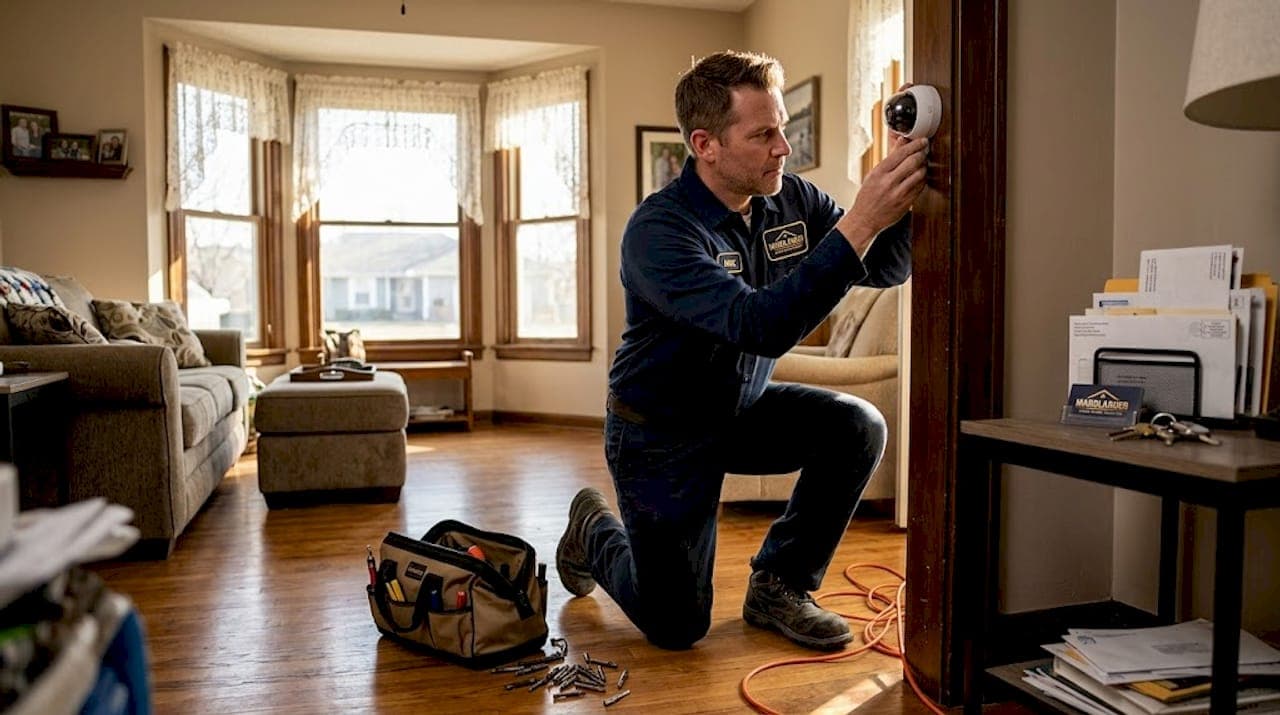
A professional camera installation service covers far more ground than most people expect. It starts before a single screw is turned and finishes long after the cameras are mounted. The process involves site assessment, selecting and mounting cameras (wired PoE or wireless), running cables cleanly through walls and ceilings, configuring recording systems (NVR or DVR), testing for optimal coverage, setting up motion detection and night vision, enabling remote access, and training you on how to use everything.
A thorough site survey identifies vulnerabilities and optimal camera positions, plans clean cable routes, calculates the right camera angles, and handles system integration before testing everything end to end. That upfront work is what separates a camera system that actually deters crime from one that creates a false sense of security.
Here's a breakdown of what a complete professional installation typically covers:
- Site vulnerability assessment to identify entry points, shadows, and blind spots before choosing camera positions
- Camera type selection (wired PoE vs. wireless) based on your property layout, internet infrastructure, and budget
- Cable routing through walls, attics, and soffits for a clean, tamper-resistant installation
- Weatherproofing for Kansas City's freeze-thaw cycles, hail, and summer heat
- System configuration including night vision range, motion zones, and alert thresholds
- Remote access setup so you can check live footage from your phone anywhere
- User training so you actually know how to retrieve footage, manage alerts, and reboot the system if needed
- Post-install testing to confirm every camera angle is correct before the crew leaves
You can also read about essential home safety upgrades to understand how camera systems fit into a broader security strategy for Kansas City properties.
Pro Tip: Always have a professional test camera placement on site using a monitor before drilling or mounting. Moving a camera six inches after the fact sounds trivial, but it can mean re-drilling through brick or siding on a Kansas City home with older construction.
Professional vs. DIY installation: what to consider
Now that we know what a professional service covers, let's see how it truly stacks up against the DIY route for Kansas City properties.
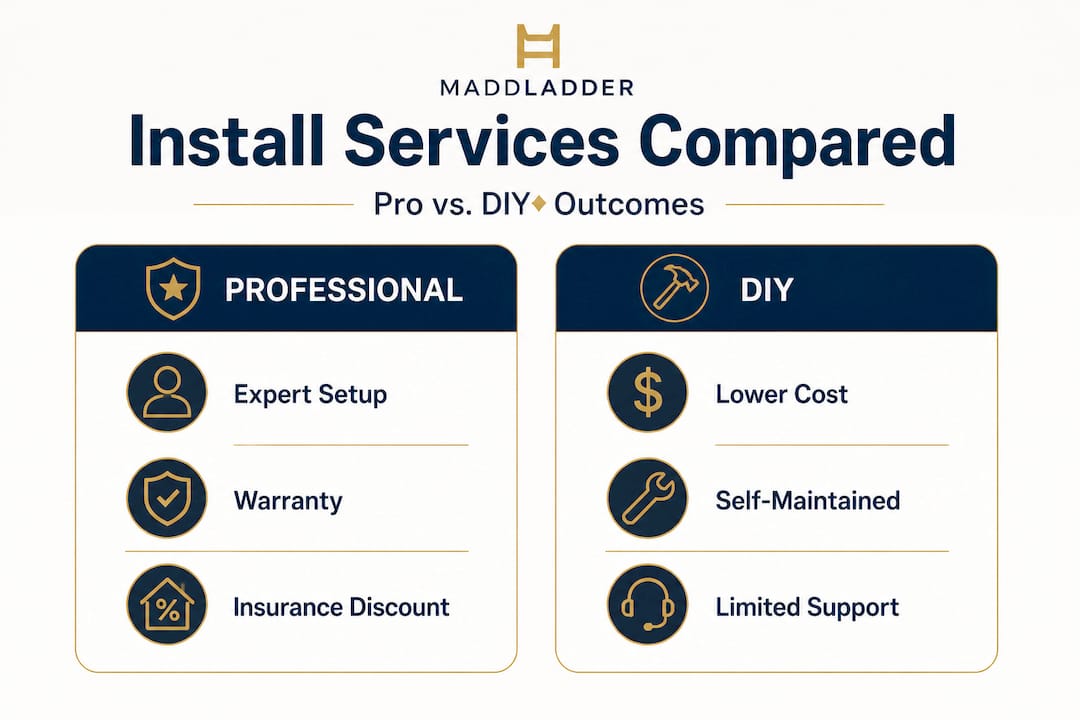
The honest truth is that DIY is fine for a single wireless camera covering a front porch. Once you move beyond that, the complexity jumps fast. Professional vs. DIY security camera installation breaks down clearly: professionals handle complex wiring and PoE switches, eliminate blind spots, maintain warranty validity, and dial in optimal angles. DIY works for simple wireless setups but risks coverage gaps, poor configuration, and voided warranties.
| Criteria | Professional install | DIY install |
|---|---|---|
| Upfront cost | Higher ($500 to $2,000+) | Lower ($100 to $500) |
| Coverage quality | Optimized, tested | Variable, often blind spots |
| System uptime | 99.9% benchmark | Risk of failures |
| Warranty validity | Maintained | Often voided |
| Ongoing support | Included or available | Self-managed |
| Insurance documentation | Provided | Rarely available |
| HOA/code compliance | Verified | DIYer's responsibility |
DIY vs. professional CCTV installation makes the tradeoffs clear: DIY is cheaper upfront and flexible, but carries higher failure risk. Professionals cost more but guarantee performance, support, and cleaner aesthetics. For property value and landlord liability, professional installs are essentially non-optional.
Here's a simple numbered process to help you decide which route fits your situation:
- Count your cameras. More than four means wiring complexity that typically exceeds DIY skill level.
- Check your property type. Multi-story homes and rental units almost always need professional-grade wiring.
- Review your insurance policy. Some carriers require documented professional installation for discount eligibility.
- Ask your HOA. Many Kansas City neighborhoods have rules about where cameras can face and how cables must be concealed.
- Consider your network. If you have Wi-Fi dead zones or a router more than three years old, wireless cameras will underperform.
"For property managers overseeing multiple units or homeowners wanting coverage that holds up through Kansas City winters, DIY shortcuts usually end up costing more to fix than a professional install would have cost to begin with."
Pro Tip: A professional installer can provide the written documentation some Kansas City insurance carriers require to unlock security-related discounts. That paperwork alone can offset a chunk of the installation fee. You can explore more about smart home upgrades and how they affect property value and insurance eligibility.
Working with licensed handymen for installation also protects you from liability if anything goes wrong with the installation itself.
Camera types, smart integration, and costs explained
After comparing install methods, it's critical to know what types of cameras, smart features, and cost ranges you'll actually face when budgeting your project.
Wired PoE cameras (Power over Ethernet) are the gold standard for reliability. They pull power and data through a single cable, meaning no battery swaps, no Wi-Fi dropouts, and no gaps in recording during power fluctuations. Wireless cameras offer flexibility for locations where running cable is impractical, like detached garages or outbuildings, but they depend entirely on your home's Wi-Fi signal strength and stability.
Smart integration is where modern systems get genuinely useful. Linking cameras to your alarm system, door sensors, and smart lighting means the system responds as a whole rather than as isolated gadgets. You get phone notifications the moment a person enters a defined zone (not just any motion, which eliminates squirrel alerts), voice control through Google or Amazon, and the ability to trigger lights or lock doors remotely.
| Camera type | Reliability | Best use | Avg. equipment cost |
|---|---|---|---|
| Wired PoE | Highest (99.9% uptime) | Whole-home coverage, rentals | $150 to $300/camera |
| Wireless (Wi-Fi) | Moderate | Single-point, outbuildings | $100 to $250/camera |
| Battery wireless | Lower | Temporary or remote spots | $80 to $200/camera |
| PTZ (pan/tilt/zoom) | High | Large lots, commercial | $300 to $500/camera |
According to 2026 cost benchmarks, equipment runs $100 to $500 per camera, professional installation adds $80 to $300 per camera (or $500 to $2,000 per project), and the average completed system costs around $1,296. Cloud subscriptions run $3 to $10 per month per camera, while a local NVR (network video recorder) costs $300 to $700 once and has no recurring fees.
Here are the ongoing costs to plan for beyond the initial install:
- Equipment replacement every five to seven years as technology and resolution standards improve
- Professional installation labor for any expansions or system reconfiguration
- Cloud storage subscriptions if you choose cloud over local NVR
- Annual maintenance visits to clean lenses, update firmware, and check cable connections
- Network upgrades if your router or internet plan can't support added cameras
The financial case for professional installation becomes even clearer when you factor in long-term returns. Professional installs benchmark at 99.9% uptime versus significant failure risk for DIY setups. Insurance discounts of 10 to 20 percent are common, and the return on investment typically lands in the 3 to 5 year window through deterrence, reduced claim frequency, and documented evidence value. You can review security value upgrades for a broader look at how security improvements affect KC property values.
KC-specific regulations, weatherproofing, and local providers
Before wrapping up, let's focus on what specifically matters for Kansas City area properties and who you can trust locally.
Kansas City has its own set of practical and legal considerations that don't always show up in generic camera installation guides. HOA rules vary widely across KC metro neighborhoods. Some prohibit visible cable runs, others restrict where cameras can face, and a few require prior approval before any exterior mounting. Privacy laws add another layer: cameras cannot be pointed in ways that capture the interior of a neighbor's home, and recording audio in Missouri has its own rules worth understanding before you configure your system.
Weatherproofing is serious business in Kansas City. The region sees genuine winters with ice storms and freeze-thaw cycles that crack sealants and stress cable runs, along with summer hailstorms that can crack camera housings. Any outdoor camera needs an IP66 or higher weather resistance rating. Cable entry points need proper grommet sealing to prevent moisture intrusion, which is a common cause of NVR failures in older KC homes.
"For KC homeowners and property managers, prioritize licensed and insured local providers who conduct on-site visits, offer open systems you can expand later, and give you transparent pricing with no long-term contracts you can't exit."
Local providers like Kansas City Security Systems, Jade Alarm, Atronic Alarms, and 4Tify Home Security offer customized installations tailored to the KC metro. When evaluating any local provider, ask these questions before signing anything:
- Are you licensed and insured in Missouri?
- Do your cameras comply with NDAA (National Defense Authorization Act) standards, meaning no components from restricted foreign manufacturers?
- Do you offer local NVR storage as an option, not just cloud?
- What does ongoing support and maintenance look like after install day?
- Are your pricing structures transparent with no surprise fees?
HOAs, privacy laws, and KC weather extremes make it essential to work with someone who knows local conditions, not just a national chain that sends a different tech every visit. For landlords specifically, rental property safety upgrades in Kansas City come with their own compliance and liability considerations worth reviewing before installation.
What most guides miss about camera installation service in Kansas City
Most camera installation guides treat Kansas City like any other American city. It isn't.
The housing stock here includes a lot of older brick homes, finished basements, and multi-story layouts where running PoE cable through finished walls is genuinely difficult. Wireless feels like the easy solution, but Kansas City's layout of thick interior walls and split-level designs creates Wi-Fi dead zones that make wireless cameras unreliable exactly where you need them most. We've seen homeowners invest $800 in wireless cameras only to find the garage and back fence completely dead to their network.
Cloud-only storage is another common trap. Many homeowners assume cloud means safe. But if your internet goes down during a break-in (a real scenario since thieves sometimes cut lines or jam signals), cloud-based systems record nothing. Local NVR storage outperforms cloud for privacy, long-term cost, and offline reliability. The same source highlights that AI-based person detection (as opposed to general motion detection) dramatically cuts false alerts, which matters when you're managing a rental property and don't want your phone lighting up every time a branch moves.
Annual maintenance is the step almost everyone skips. Kansas City winters are genuinely hard on outdoor tech. Lens sealants crack. Cable connectors corrode. Firmware updates get missed and create security vulnerabilities. Scheduling a professional checkup once a year costs far less than replacing a flooded NVR or finding out your camera hasn't recorded in three months.
The payoff for doing this right, with professional installation, local NVR storage, and annual maintenance, is substantial. Better long-term security value for your property, lower insurance premiums, real peace of mind, and a documented security system that adds tangible value when you sell or refinance. The upfront investment stops feeling expensive when you calculate what a single break-in, a single liability claim, or a single insurance non-renewal actually costs.
Get expert camera installation and smart home upgrades in Kansas City
Ready to upgrade your property's security and convenience? Here's how to take the next step with experts local to Kansas City.
MaddLadder provides licensed and insured smart home upgrades including professional security camera installation across the Kansas City metro. Our team conducts on-site assessments, recommends the right system for your property type, and handles installation cleanly from cable routing to final testing.

You won't get a national call center or a tech who's never been to your neighborhood. You'll get a local team that understands KC housing, HOA considerations, and what actually survives a Missouri winter. Browse our full camera installation services or check out transparent pricing for camera installs to see exactly what your project might cost before you call. Free estimates are available, and we make it easy to get started without any pressure or long-term contracts.
Frequently asked questions
What does a camera installation service include?
A camera installation service includes site assessment, system setup, optimal camera placement, wiring, configuring recording and alerts, user training, and post-install support. It covers both the physical installation and the technical configuration needed to make cameras actually work as a security system.
How much does professional camera installation cost in Kansas City?
Typical costs range from $100 to $500 per camera for equipment, plus $80 to $300 per camera for installation, with total setups for homes usually starting around $1,296. Ongoing cloud storage adds $3 to $10 per camera monthly, while a local NVR is a one-time cost of $300 to $700.
Are there special rules or restrictions for installing cameras in Kansas City?
Yes, HOAs and privacy laws often restrict camera placement, and you must avoid recording neighbor interiors. KC-specific edge cases also include weatherproofing requirements for winters and multi-story wiring challenges that make professional installation strongly recommended.
How does professional installation improve home insurance discounts?
Professionally installed cameras can result in insurance discounts of 10 to 20 percent and a 3 to 5 year ROI from improved deterrence and claim documentation. Installers can also provide the written proof some Kansas City carriers require to apply those discounts.
Can wireless cameras be a good choice for Kansas City homes?
Wireless cameras offer flexibility but may be less reliable in large or multi-story KC homes. PoE wired systems outperform wireless for reliability and uptime, making them the preferred choice for whole-home coverage or rental property installations where system failures create real risk.