

TL;DR:
- Booking home service appointments online takes about two minutes, involving selecting a service, checking availability, entering details, and paying securely. Top platforms provide automated reminders, rescheduling, and real-time availability, reducing appointment no-shows and administrative friction. Maddladder offers Kansas City homeowners direct booking with licensed professionals, transparent pricing, and no need for marketplace platforms.
Booking a home service appointment online takes about two minutes: pick your service, check real-time availability, enter your address and any special instructions, confirm, and pay. That's the whole workflow. The best platforms handle automated reminders, rescheduling, and secure payment without you ever picking up the phone. Here's what a smooth booking experience looks like from start to finish:
- Service selection: Browse by category (plumbing, HVAC, handyman, electrical) and choose the specific job you need done.
- Real-time availability: The calendar shows only open slots based on the provider's actual schedule, so there's no back-and-forth.
- Booking details: Enter your address, access instructions, and any notes about the job.
- Automated confirmation: You get an email or text immediately, plus reminders as the appointment approaches.
- Secure payment: Pay upfront, leave a deposit, or store a card for post-service billing, all through an encrypted gateway.
The platforms that do this well give you 24/7 access, transparent pricing before you commit, and easy rescheduling through the same interface. No callbacks, no voicemail, no surprises on the invoice.
Why use an online booking system for home services?
Online booking systems remove the single biggest friction point in home service scheduling: the phone call. Businesses that rely on phone-only booking miss a significant portion of incoming calls during busy periods, which translates directly to lost revenue and frustrated customers. Automated scheduling captures those opportunities around the clock.
For homeowners, the convenience is obvious. You can book a plumber at midnight or schedule an HVAC tune-up during your lunch break without waiting for business hours. Transparent pricing displayed before you confirm means no surprise charges when the technician leaves.

For service businesses, the operational gains are just as real. Providers that implement automated booking often report increases in appointment volume within the first quarter, largely because the system captures after-hours requests that would otherwise go unanswered. Automated reminders also cut no-shows, which is one of the most expensive problems in field service operations.
The other underrated benefit is communication. Integrated messaging tools, status updates, and digital confirmations keep both sides informed without anyone playing phone tag.
What features define an effective home service booking system?
Not every booking tool is built the same. The difference between a frustrating experience and a smooth one usually comes down to a handful of specific features.
- Real-time calendar integration: The system must reflect actual availability, not a static form that requires manual confirmation. Double bookings happen when calendars aren't synced live.
- Custom intake forms: A good platform collects job-specific details upfront, such as the type of repair, photos, access instructions, and preferred contact method, so the technician arrives prepared.
- Automated notifications: Confirmation emails, day-before reminders, and follow-up messages should send automatically. Platforms like Acuity Scheduling and Jobber let you customize the timing and content of each touchpoint.
- Secure payment gateways: Look for integration with established processors like Stripe, Square, or PayPal. The system should support deposits, full upfront payment, or post-service billing.
- Mobile responsiveness: A substantial share of home service appointments are now scheduled from smartphones, so a clunky mobile experience costs real bookings.
- Clear cancellation policies: The platform should display rescheduling and cancellation terms before the customer confirms, not buried in fine print afterward.
- Trust signals: Background checks, license verification, insurance confirmation, and satisfaction guarantees all belong on the booking page. Thumbtack's satisfaction guarantee, for example, covers up to $2,500 for incomplete or unsatisfactory work.
Pro Tip: When evaluating a provider's booking platform, check whether it uses appointment software, automated quoting, or tracked intake forms. These technographic signals indicate that the business runs disciplined workflows, not just a contact form bolted onto a website.
How do the top scheduling tools for home services compare in 2026?
Ten platforms dominate the conversation for home service scheduling this year. They split into two broad camps: field service management systems built for the business side (dispatching, invoicing, CRM), and customer-facing booking tools designed for appointment intake. Knowing which camp a tool belongs to tells you immediately whether it solves your problem.
| Tool | Best for | Key features | Pricing | Limitations |
|---|---|---|---|---|
| Driive | Varied service sizes needing automation | Extensive automation, mobile app, workflow management | Not publicly listed | Newer platform; smaller user community |
| Jobber | Small to medium service businesses | CRM, invoicing, quoting, client hub | Tiered plans from ~$49/mo | Can feel complex for solo operators |
| Housecall Pro | Solo plumbers, electricians, HVAC techs | Mobile-first interface, payment integration, dispatching | Tiered plans from ~$65/mo | Advanced features locked to higher tiers |
| ServiceTitan | Large-scale operations | Analytics, fleet management, dispatch, reporting | Enterprise pricing; not publicly listed | Steep learning curve; cost prohibitive for small teams |
| Workiz | Teams needing client communication | Two-way texting, job tracking, scheduling | Plans from $49–$65/mo | Reporting less detailed than ServiceTitan |
| FieldCamp | Calendar coordination for field techs | Real-time calendar sync, availability management | — | Limited CRM depth |
| Acuity Scheduling | Customizable intake and reminders | Intake forms, integrations, automated notifications | Free tier available | Not built specifically for field service |
| SimplyBook.me | Providers wanting marketing tools | Booking widgets, custom website, promotional features | Free tier available | Feature depth requires higher-tier plan |
| Calendly | Simple, reliable appointment booking | Scheduling links, calendar integrations, clean UI | Free tier available | Minimal field service features |
| Service Fusion | Growing companies needing dispatch | All-in-one dispatch, invoicing, reporting | — | Interface less modern than competitors |
Jobber is the most complete option for small to medium home service businesses that need more than just a booking page. Its client hub lets customers approve quotes, pay invoices, and request work without calling in, and the CRM keeps job history organized across every technician. The scheduling step-by-step process Jobber supports maps almost exactly to how professional operators run their day.
Housecall Pro wins on mobile usability. For a solo electrician or plumber who manages their own schedule, the app handles booking, payment collection, and customer communication from a single screen. The tradeoff is that deeper reporting and automation require upgrading to pricier plans.
ServiceTitan is genuinely enterprise software. It handles fleet tracking, complex dispatch logic, and business analytics at a scale that Jobber and Housecall Pro don't attempt. If you're running a team of 20+ technicians, the investment makes sense. For anyone smaller, the cost and complexity are hard to justify.
Workiz stands out for communication-heavy teams. Its two-way texting feature keeps technicians and customers in sync without anyone needing to call the office, and the job tracking dashboard gives dispatchers a live view of every active appointment.
FieldCamp suits service providers whose main pain point is calendar chaos. Real-time sync across multiple technicians prevents double bookings without requiring a full field service management platform.

On the customer-facing side, Acuity Scheduling and SimplyBook.me are the strongest options for businesses that want a polished booking experience with custom intake forms and automated follow-ups. Acuity's integration library is deep, connecting to payment processors, CRMs, and video tools. SimplyBook.me adds built-in promotional features like discount codes and gift cards, which most field service tools skip entirely.
Calendly is the simplest tool on this list. It does one thing well: lets customers pick a time from your available slots. For a home service business with complex dispatch needs, it falls short. For a solo consultant or inspector who just needs clean scheduling links, it's hard to beat.
Service Fusion targets growing companies that have outgrown basic tools but aren't ready for ServiceTitan's price tag. The all-in-one dispatch and invoicing system covers most operational needs, though the interface shows its age compared to newer platforms.
Driive rounds out the list with strong automation and a capable mobile app. It's worth evaluating for businesses that want workflow automation baked in from the start, though its smaller user community means fewer third-party integrations and community resources than Jobber or Housecall Pro.
How do you choose the right booking system for your needs?
The right platform depends on four things: your service scope, your team size, your budget, and how your customers prefer to book. Getting those four factors clear before you start comparing tools saves a lot of wasted trial periods.
- Service scope and volume: A solo handyman booking five jobs a week needs something different from a 15-person HVAC company managing dispatch across three zones. Calendly or FieldCamp handles the former; Jobber or Service Fusion handles the latter.
- Budget vs. feature set: Free tiers on SimplyBook.me and Calendly cover basic booking. If you need CRM, invoicing, and automated follow-ups in one place, budget at least $49–$65/month for Jobber or Housecall Pro. ServiceTitan sits at enterprise pricing and requires a sales conversation.
- Ease of use: A platform your technicians won't actually use is worthless. Housecall Pro and Workiz consistently rank well for mobile usability. ServiceTitan has a steeper learning curve that requires dedicated onboarding time.
- Integrations: Check whether the platform connects to your existing payment processor, accounting software (QuickBooks, Xero), and communication tools. Acuity Scheduling and Jobber have broad integration libraries; FieldCamp is more limited.
- Security and privacy: Confirm the platform uses encrypted payment processing and doesn't sell your customer data. Lead-generation directories that expose customer contact information to multiple providers create privacy risks that dedicated booking platforms avoid.
- Cancellation and support policies: Read the cancellation terms before you sign up. Reasonable platforms allow changes 24–48 hours before an appointment without penalty. Also check whether customer support is available by phone or only through a ticket system, especially if you're running a time-sensitive service operation.
For flexible pricing structures that work alongside any of these platforms, the pricing model you choose (hourly, flat-rate, or subscription) should match how the booking system collects payment.
How do you book a home service appointment online, step by step?
The process is consistent across most platforms, whether you're booking through a marketplace like Thumbtack or directly through a provider's website.
- Search and select a provider. Use specific search terms ("licensed electrician Kansas City" rather than just "electrician") to surface providers with verified credentials. Marketplace platforms let you compare multiple providers side by side; direct provider sites give you a more consistent experience and often avoid extra fees.
- Review the provider profile. Check recent reviews, listed services, licensing information, and any satisfaction guarantees. A provider with a complete, consistent profile across their website, Google Business listing, and any directory listings is a better bet than one with mismatched contact details.
- Check real-time availability. Select your preferred date and time from the live calendar. If no slots fit your schedule, some platforms let you join a waitlist or request a custom time.
- Enter booking details. Fill in your service address, describe the job specifically, and add any access instructions or photos. The more detail you provide here, the more accurately the technician can prepare and quote.
- Confirm and pay. Review the total cost, cancellation policy, and payment terms before confirming. Most platforms send an immediate confirmation by email and text. Save that confirmation; you'll need it if anything goes wrong.
- Manage changes through the platform. If you need to reschedule or cancel, do it through the same booking interface. This keeps a timestamped record of all communication, which matters if a dispute arises later.
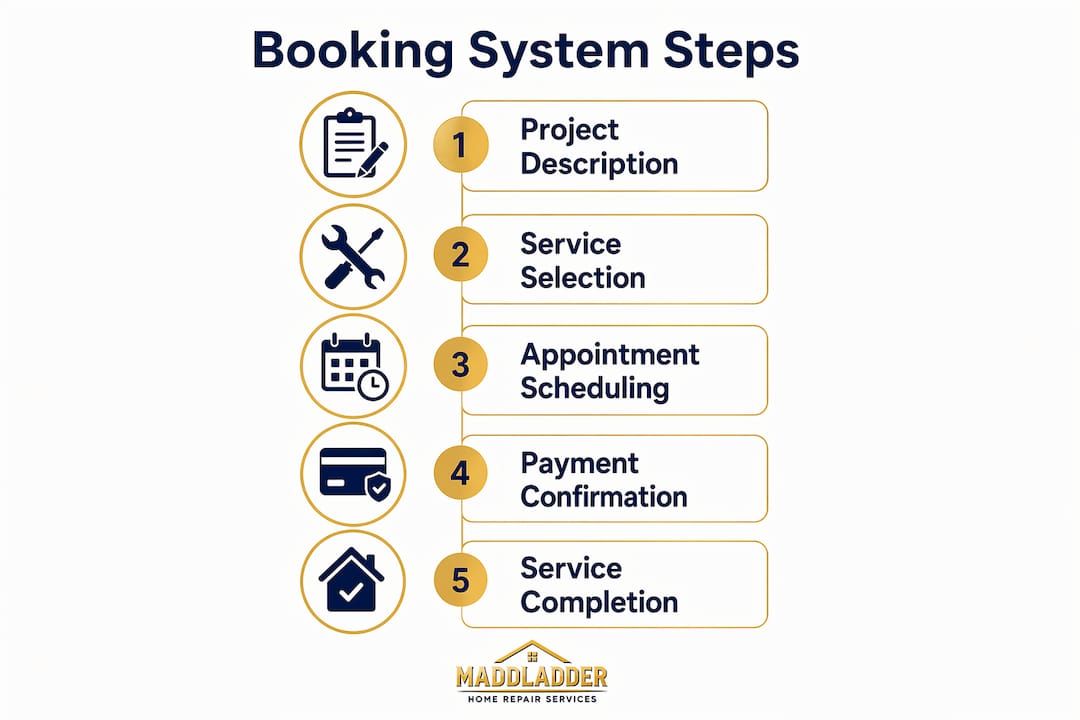
The five-step digital workflow that has become standard across the industry, from project description through electronic payment, takes most homeowners under five minutes once they're familiar with a platform.
What are the best practices for safe, scam-free online booking?
The biggest risks in online home service booking aren't the platforms themselves. They're the habits that make people vulnerable: sharing personal contact details too early, skipping credential checks, and paying outside the platform's protected payment system.
- Verify credentials before booking. Check that the provider carries active licensing and insurance for your state. Most state licensing boards have online lookup tools. A provider who can't point you to their license number is a red flag.
- Use platforms with payment protection. Escrow-style payment systems hold your money until the work is approved. Satisfaction guarantees like Thumbtack's $2,500 coverage add another layer. Never pay a contractor found online by cash or wire transfer.
- Keep all communication in the platform. Moving conversations to personal email or text removes the timestamped record that protects you in a dispute. Platforms with in-app messaging create an audit trail that both sides can reference.
- Avoid lead-generation directories. When you submit a "free estimate" form on a directory site, your contact information often gets sold to multiple contractors simultaneously. Prefer matching platforms or direct provider booking pages that protect your data until you choose a pro.
- Save your confirmation. Screenshot or forward your booking confirmation to a personal folder. If the provider doesn't show, you have documented proof of the appointment and any payment made.
- Watch for scam indicators. Unusually low quotes, requests for large upfront cash payments, no physical address, and pressure to book immediately are all warning signs. Legitimate providers have consistent online profiles and don't need to rush you.
Pro Tip: Before booking, run a quick check on the provider's website. A site with online booking, automated quoting, and tracked intake forms signals a professionally run operation. A site that hides all pricing behind a "call now" button and has no booking functionality may still be legitimate, but it tells you the business hasn't invested in customer-facing systems, which sometimes predicts how they'll handle scheduling problems.
For home service businesses building their own professional presence, physical marketing like handyman yard signs paired with a solid online booking system creates a consistent brand signal across both digital and local channels.
Maddladder: a direct booking alternative for Kansas City homeowners
If you've read through the software comparison above and thought "I just want to book a reliable handyman without setting up a platform," Maddladder is worth a direct look.
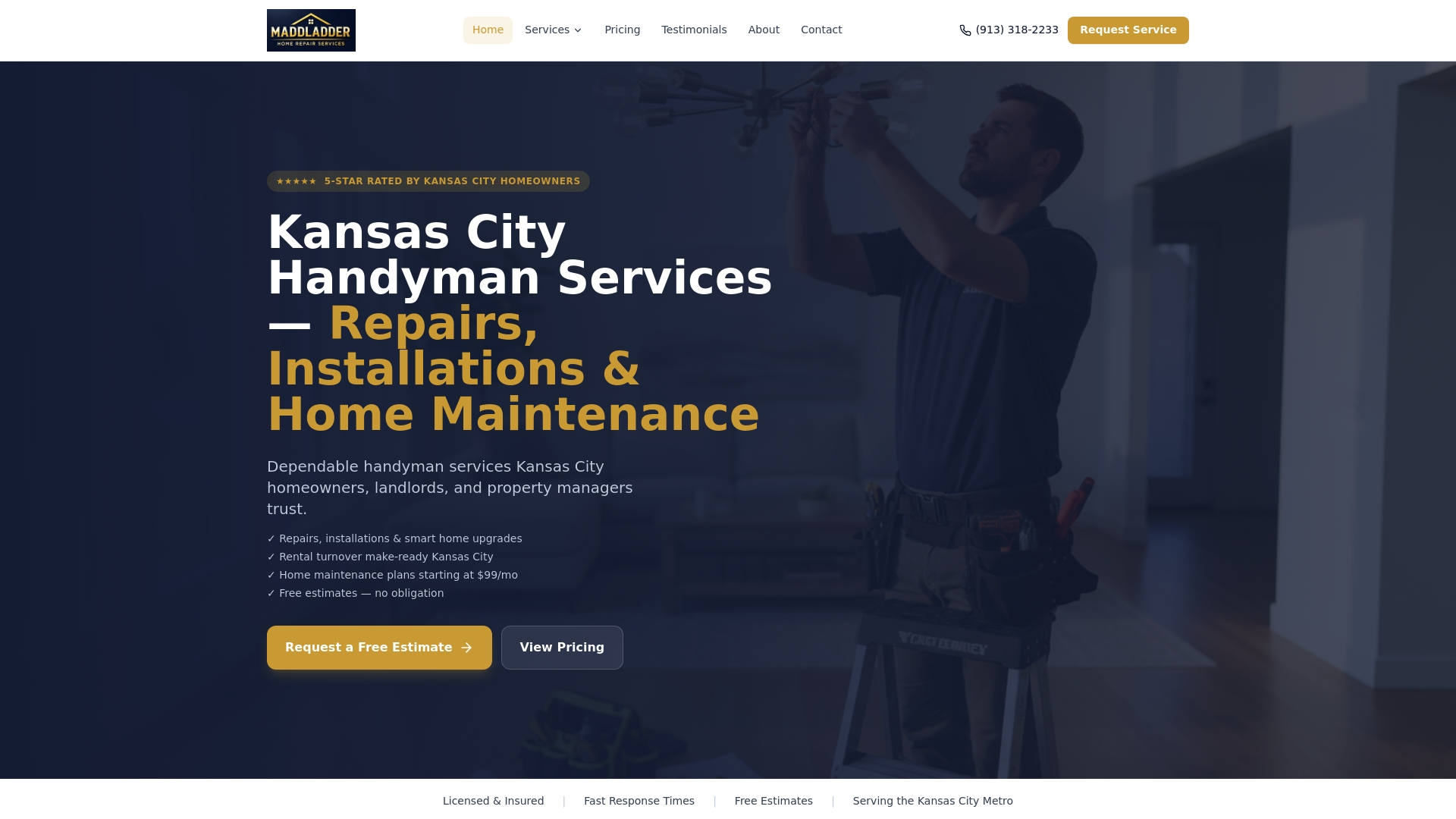
Maddladder serves the Kansas City metro area with licensed handyman services covering general repairs, drywall, fixture replacements, minor plumbing and electrical work, furniture assembly, and smart home upgrades like thermostat and camera installations. Unlike the scheduling software platforms compared above, Maddladder is the actual service provider. You book directly, get a free estimate, and work with a licensed professional without navigating a marketplace or managing software subscriptions.
Pricing starts at $75/hour for one-time services, with subscription plans (Essential, Home Care, and Property Manager tiers) for homeowners and landlords who want ongoing maintenance covered. The full pricing breakdown is listed publicly, so there are no surprises. For Kansas City homeowners who want the convenience of online booking without the overhead of evaluating ten different platforms, Maddladder offers a straightforward path to getting the work done.
Key Takeaways
The most effective approach to booking home services online combines a platform with real-time availability, secure payment processing, automated reminders, and verified provider credentials, cutting missed appointments and eliminating phone-tag entirely.
| Point | Details |
|---|---|
| Automated booking drives volume | Providers using automated scheduling report appointment volume increases of 15–40% within the first quarter after adoption. |
| Mobile access is standard | Nearly 35% of home service appointments are booked from smartphones, making mobile responsiveness a baseline requirement. |
| Choose the right tool for your scale | Solo operators fit Housecall Pro or Calendly; growing teams need Jobber or Service Fusion; enterprise operations require ServiceTitan. |
| Protect your data and payment | Avoid lead-gen directories that sell your contact info; use platforms with escrow or satisfaction guarantees covering up to $2,500. |
| Maddladder for Kansas City | Maddladder offers direct, licensed handyman booking in the Kansas City metro with transparent hourly and subscription pricing. |